
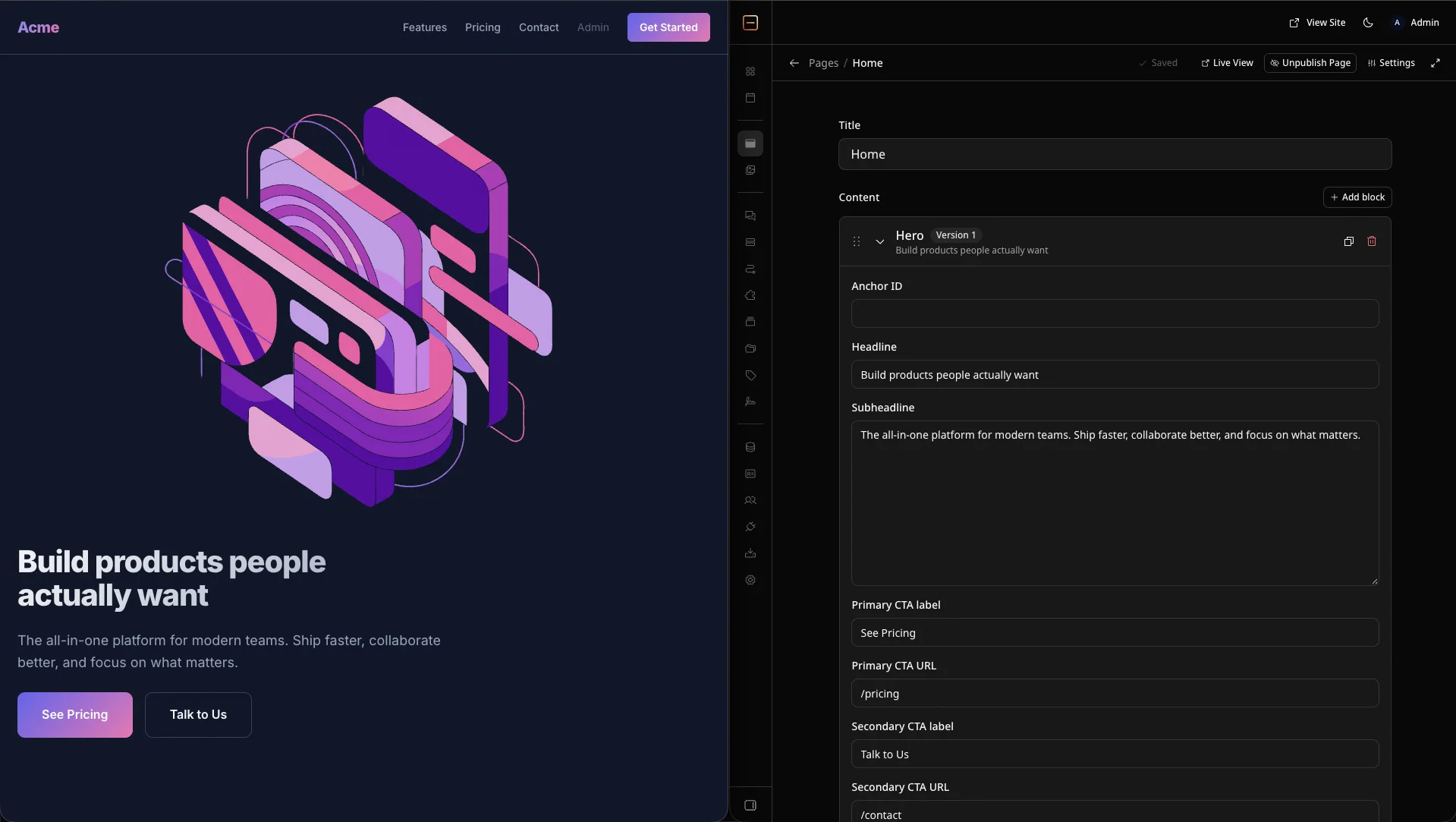
A marketing site you edit in the browser - EmDash, the Astro-native CMS, with Astro server-rendered on Bun. Every page is built from blocks in the EmDash admin. Rock8Cloud provisions the database and media storage and wires them in, so the site is live on the first deploy.
Deploy in one click#
The blueprint clones the repository to your GitHub and builds one service from its Dockerfile - the site and the EmDash admin together, on port 4321. PostgreSQL and an S3 media bucket are provisioned and connected for you.
Or ask an agent instead of clicking. With Rock8Cloud connected over MCP, deploy_blueprint with the emdash-blueprint slug clones the same template into your GitHub account, creates the project with its services, and starts the first build.
Pro tip:Run the setup wizard at /_emdash/admin right after the first deploy. Until it is done, whoever opens the admin first becomes its owner.
What you get#
- A private clone of the repository in your GitHub account.
- One service running the site and the EmDash admin, with its own public URL.
- A managed PostgreSQL database, pre-wired via
DATABASE_URL. - A managed S3 bucket for media, pre-wired via
S3_*env vars, so uploads survive redeploys. - Block-based pages - hero, features, testimonials, pricing and FAQ, seeded with demo content for a fictional product called Acme.
- Deploy on push - every push to your default branch rebuilds and ships the site.
After it’s live#
Open /_emdash/admin, complete the setup wizard and register a passkey. The wizard applies the seed, so the home, pricing and contact pages render immediately. Edit them under Pages and publish - there is no rebuild.
Passkeys are bound to the domain in EMDASH_SITE_URL, which the blueprint sets to the service URL. If you add a custom domain, point EMDASH_SITE_URL at it and register a new passkey there. Login sessions live on the container disk, so a redeploy signs editors out.
Customize it#
Pages, menus and settings are content, so most changes happen in the admin. For new block types, add them to seed/seed.json and render them in src/components/blocks/ in your clone. Restyle by overriding design tokens in src/styles/theme.css. Push to your default branch and Rock8Cloud rebuilds. Need more services? PostgreSQL, Dragonfly, and S3 are one click each.
