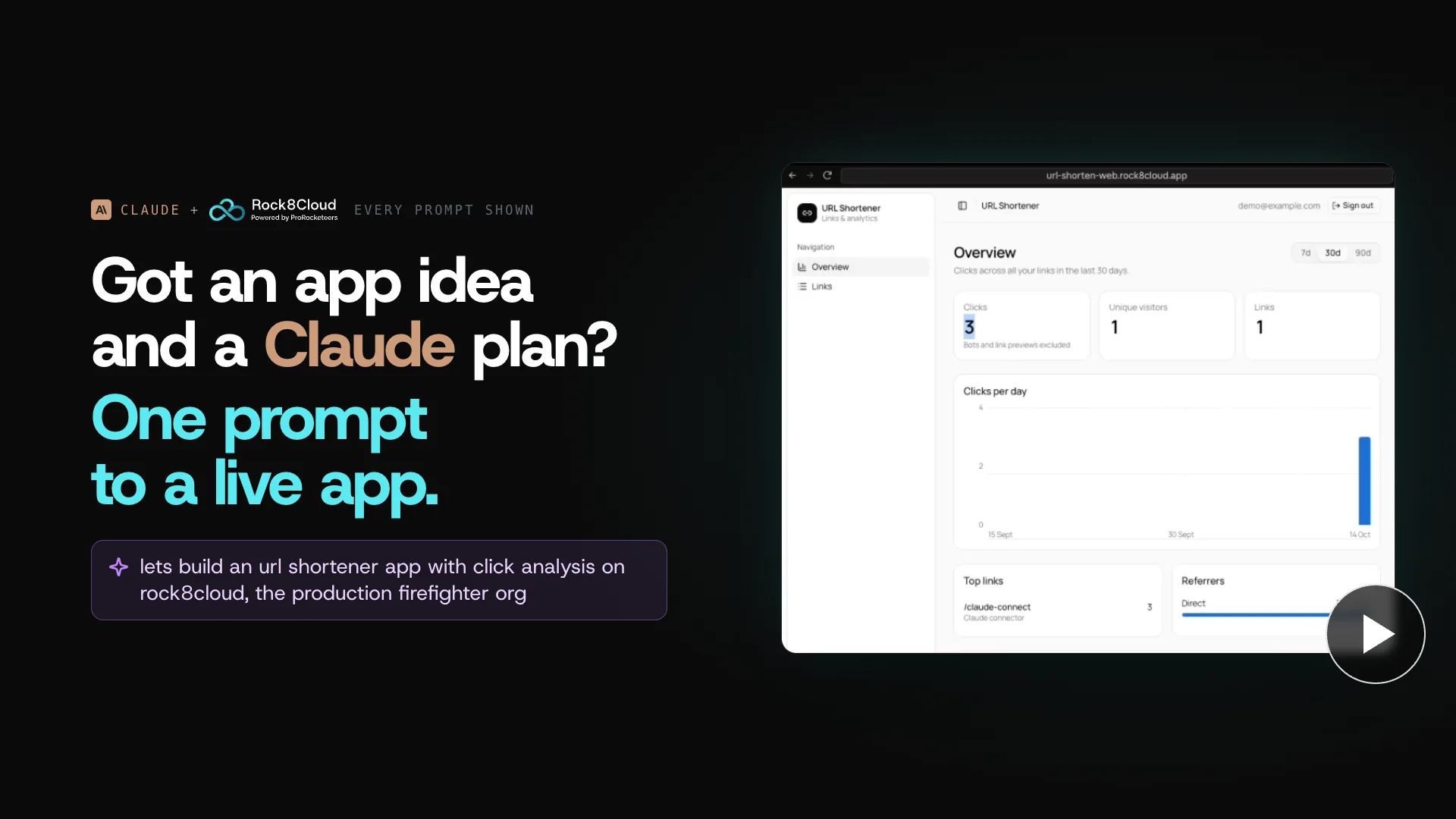
Make sure your apps reserve the right amount of resources#
A new app starts on a small size, because it needs little. Its needs change as it runs: a launch, a traffic spike or a quiet month can leave it reserving more than it uses, or less than it needs.
Rock8Cloud bills by the CPU and memory you reserve, not by traffic: a pool in your plan, and fixed-price add-on units beyond it. Compute is costly everywhere at today’s hardware prices. That is why we give you easy-to-use tools to optimize what each app reserves, whenever you need to. Doing it by hand means opening a metrics view per service, reading a day of graphs and doing the arithmetic. With Claude it is one question.
See how it works on a real app#
With Rock8Cloud connected, Claude reads the same usage you would, for every service at once, and comes back with a proposal. Two minutes in the Claude app, every prompt on screen:
The video shows the whole session. Here it is transcribed step by step:
 View
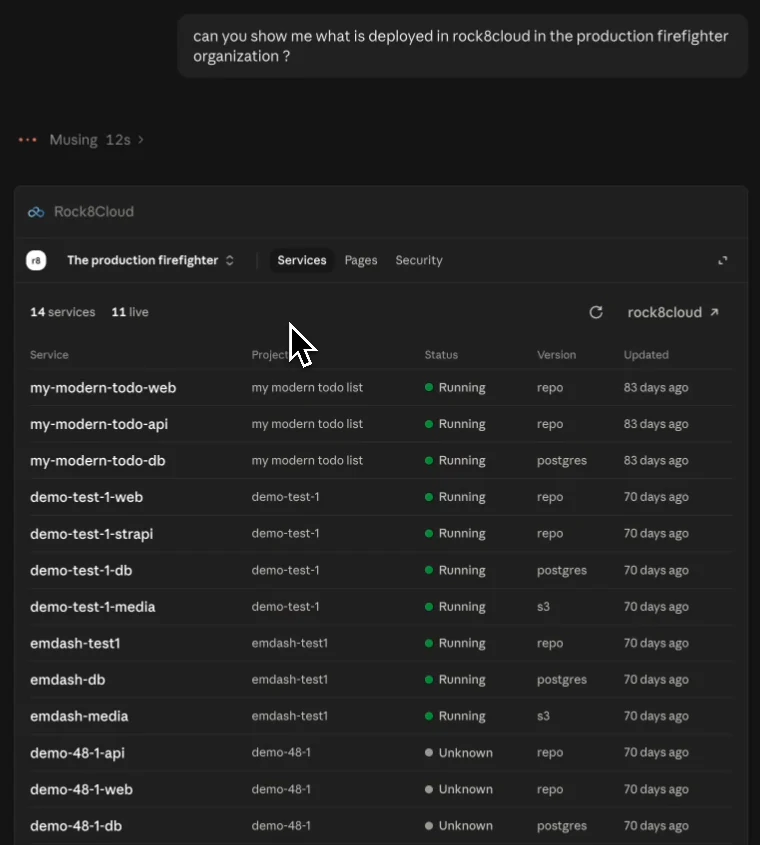
Viewcan you show me what is deployed in rock8cloud in the production firefighter organization ?
open_dashboard
 View
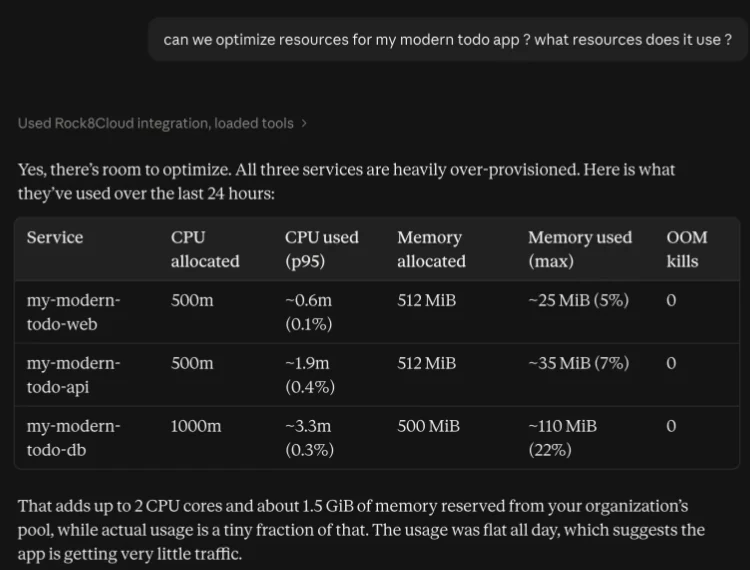
Viewcan we optimize resources for my modern todo app ? what resources does it use ?
get_deployment_metrics
Yes, there's room to optimize. All three services are heavily over-provisioned.
That adds up to 2 CPU cores and about 1.5 GiB of memory reserved from your organization's pool, while actual usage is a tiny fraction of that.
 View
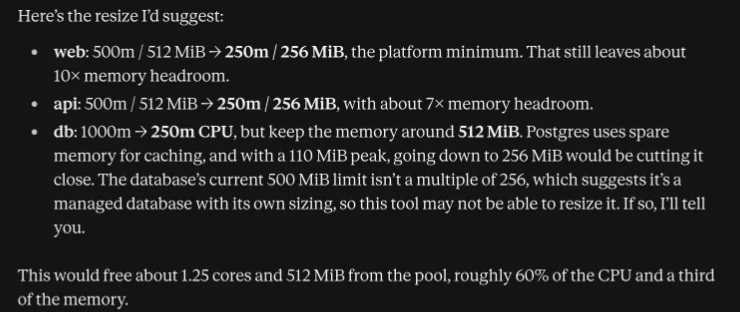
Viewweb: 500m / 512 MiB → 250m / 256 MiB, the platform minimum. That still leaves about 10× memory headroom.
This would free about 1.25 cores and 512 MiB from the pool, roughly 60% of the CPU and a third of the memory.
 View
Viewapply the allocations
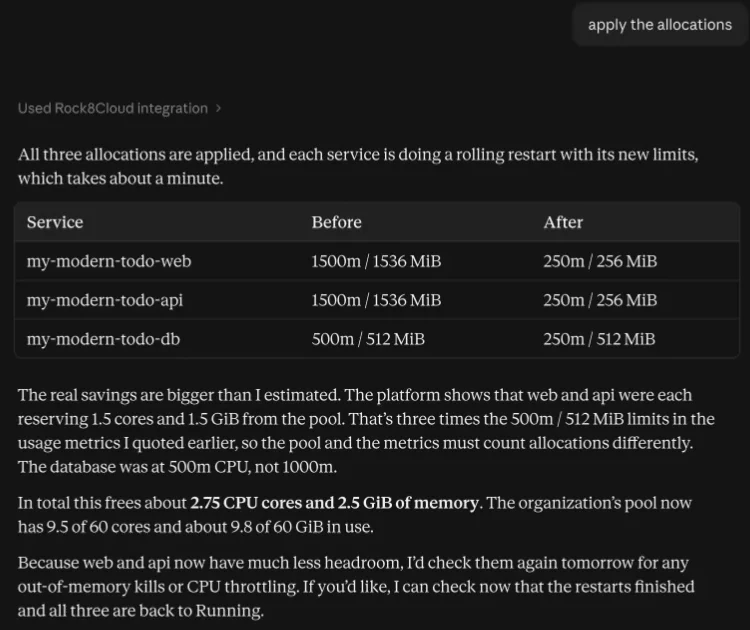
All three allocations are applied, and each service is doing a rolling restart with its new limits, which takes about a minute.
In total this frees about 2.75 CPU cores and 2.5 GiB of memory.
 View
Viewshow me the dashboard again
open_dashboard
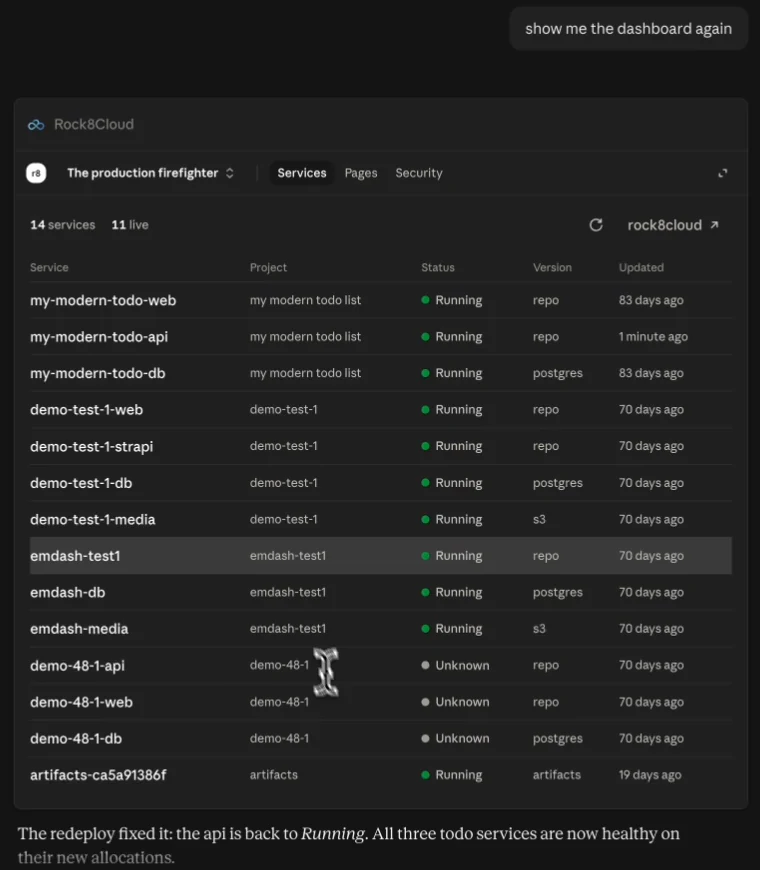
The redeploy fixed it: the api is back to Running. All three todo services are now healthy on their new allocations.
 View
Viewhow much resources did we save ?
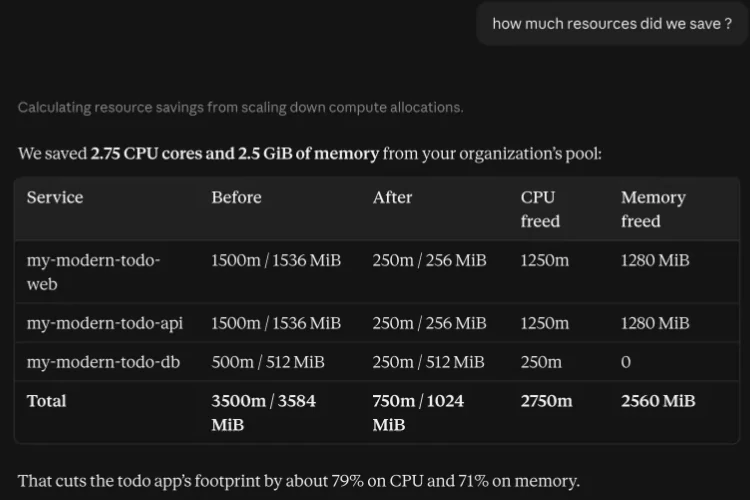
We saved 2.75 CPU cores and 2.5 GiB of memory from your organization's pool.
That cuts the todo app's footprint by about 79% on CPU and 71% on memory.
The estimate and the result differ, and Claude says why: the platform had the web and API services on bigger limits than the usage metrics it quoted first. The table at the end is what changed.
It asks before it cuts#
Claude proposes, you decide. The proposal names every service, its current size, what it actually used and the size it would set, with the headroom that leaves. Nothing changes until you answer. A database keeps its memory when it uses it for caching, and Claude says so instead of cutting it to the minimum.
Each new size takes effect with a restart of that service, about a minute. Ask for the dashboard afterwards and Claude checks that every service runs on its new size, and sorts out any that does not, like the API in the video, which needed one redeploy.
Set it up once#
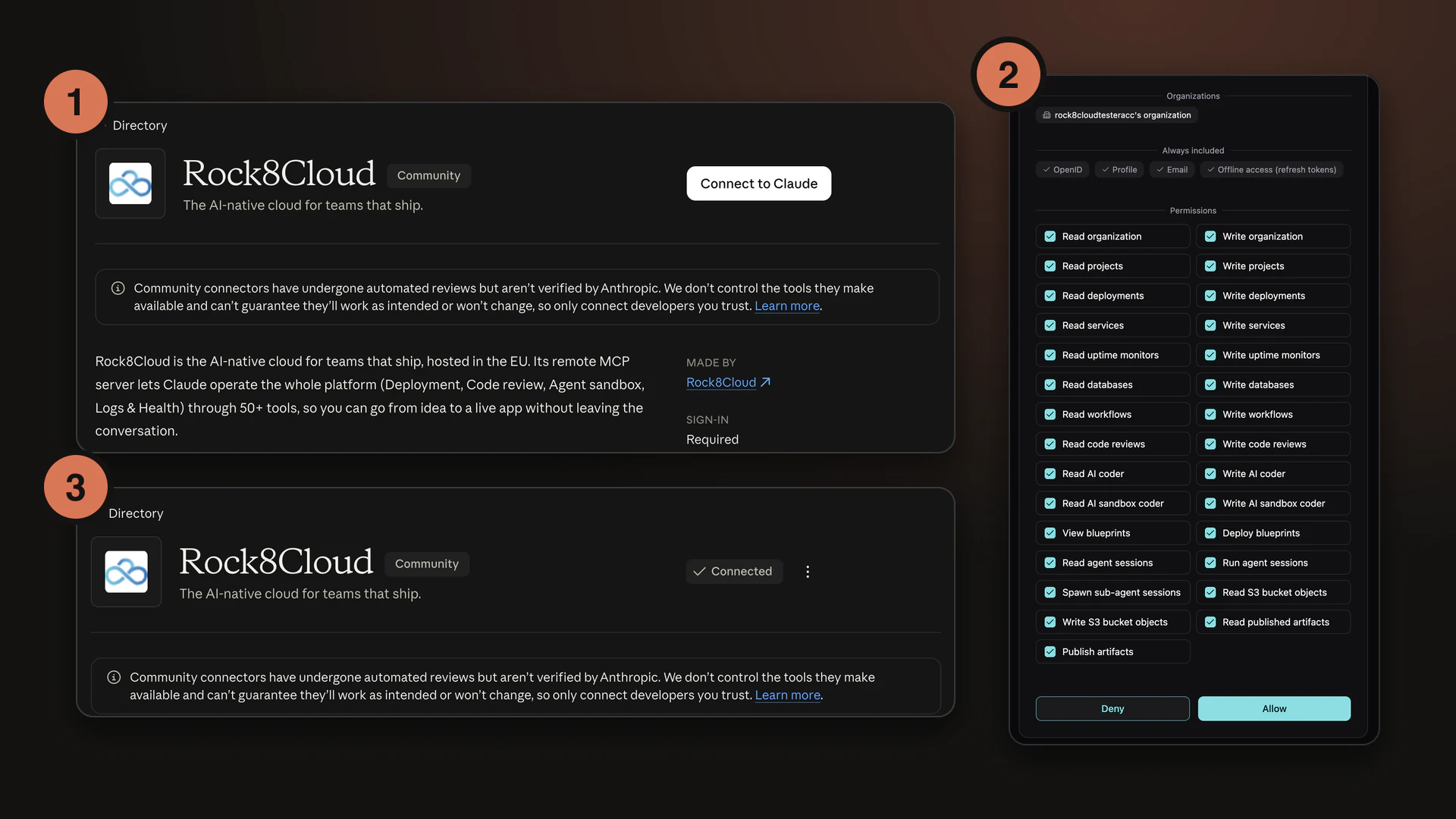
Rock8Cloud is in the Claude connector directory. Connect it once, and every Claude app on your account can read your usage and optimize it, phone included. The setup guide shows every click:
Starting a new app? Get it live from one prompt in Claude Code, then come back and optimize it.