
Rock8Cloud can now host your code. Git was the last piece of the platform we did not run ourselves, and now your code can live in private repositories on Rock8Cloud, right next to the app it deploys. That makes GitHub optional, so you can now choose from several ways to sign in, like Google or email.
We set out to run the whole stack ourselves#
From the first day, the rule was simple. Run every piece ourselves, on open, standard tech. Builds and deploys, Postgres, Redis and S3 storage, logs, code review and the sandboxes your agents work in all run on Rock8Cloud. The same platform runs on your own hardware with Enterprise.
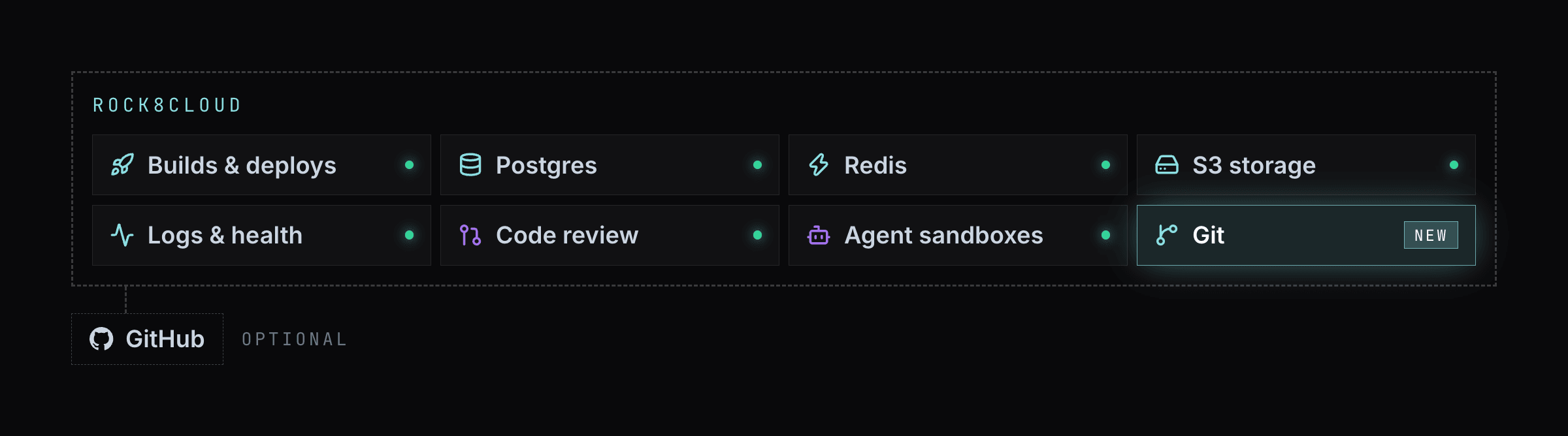
One piece stayed outside: git. Your code had to live on GitHub, and GitHub was also how you signed in. Everything ran offline, except git.
GitHub was the last wall#
That worked for developers who already had a GitHub account. It stopped everyone else at the first screen.
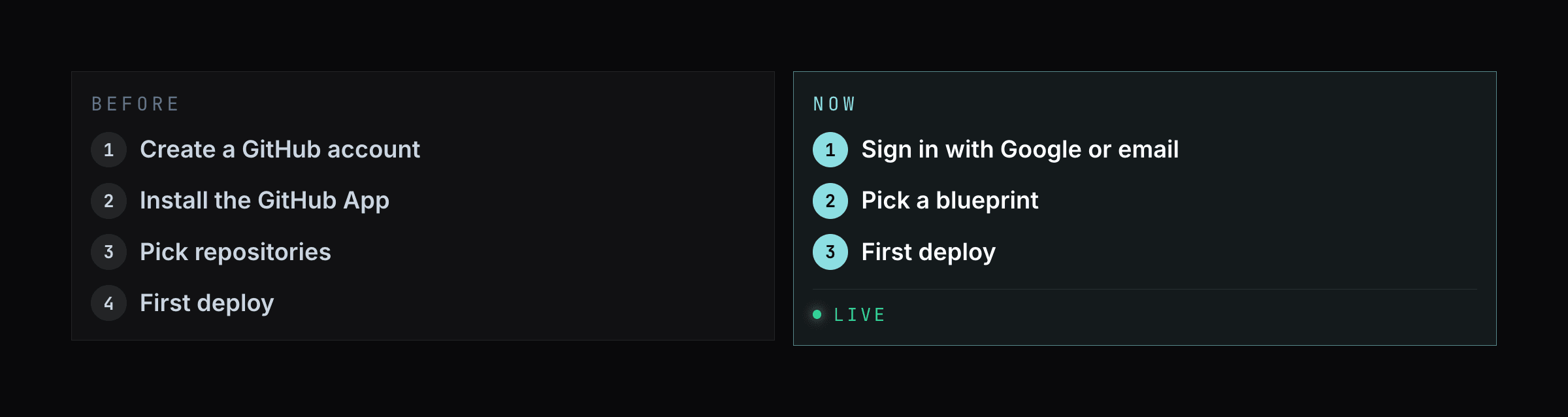
A founder prototyping with Claude, a designer shipping a landing page, a team whose code sits somewhere else. Each of them had to create a GitHub account, install our GitHub App and pick repositories before they saw a single deploy.
When GitHub was down, so were we#
Outages were our number one problem with GitHub. Every deploy, preview and code review started with a push to GitHub, and GitHub was how you signed in. When GitHub had an incident, shipping stopped, even with Rock8Cloud itself running fine.
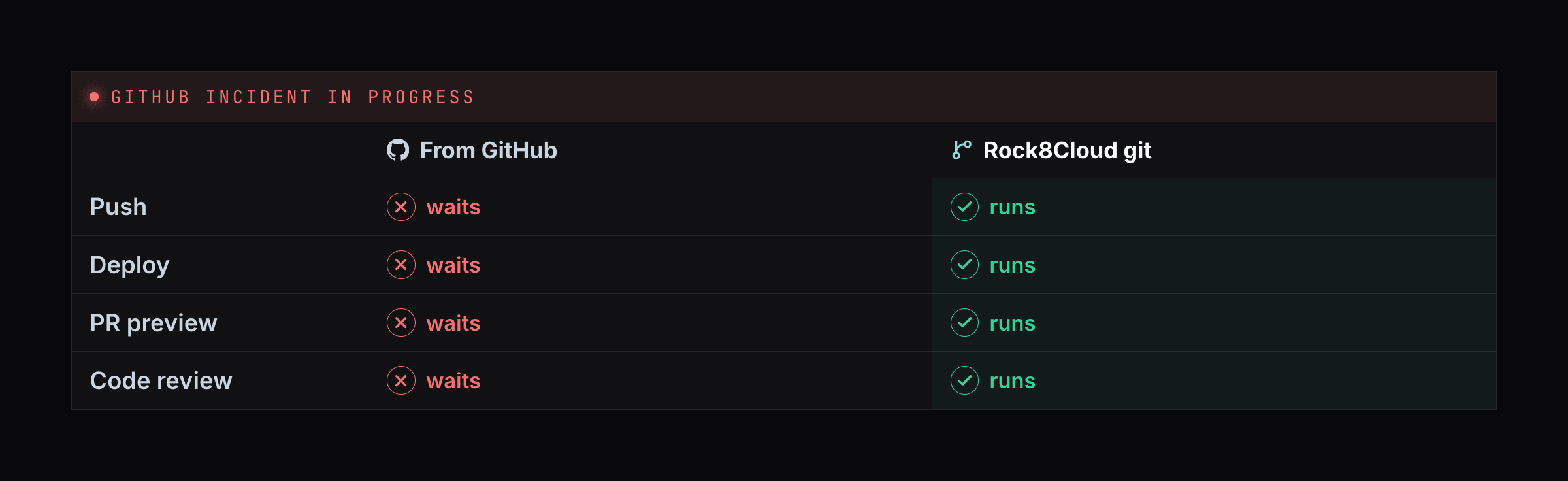
GitHub carries more code every month, much of it now written by agents, and under that load outages keep happening. A team should not stop shipping because a service it does not run is down. With your code on Rock8Cloud, there is one platform to keep running, not two.
So we introduced Rock8Cloud git#
Every organization now gets private git repositories hosted on Rock8Cloud, in the EU. Git runs inside the platform itself, so it lives wherever Rock8Cloud runs.
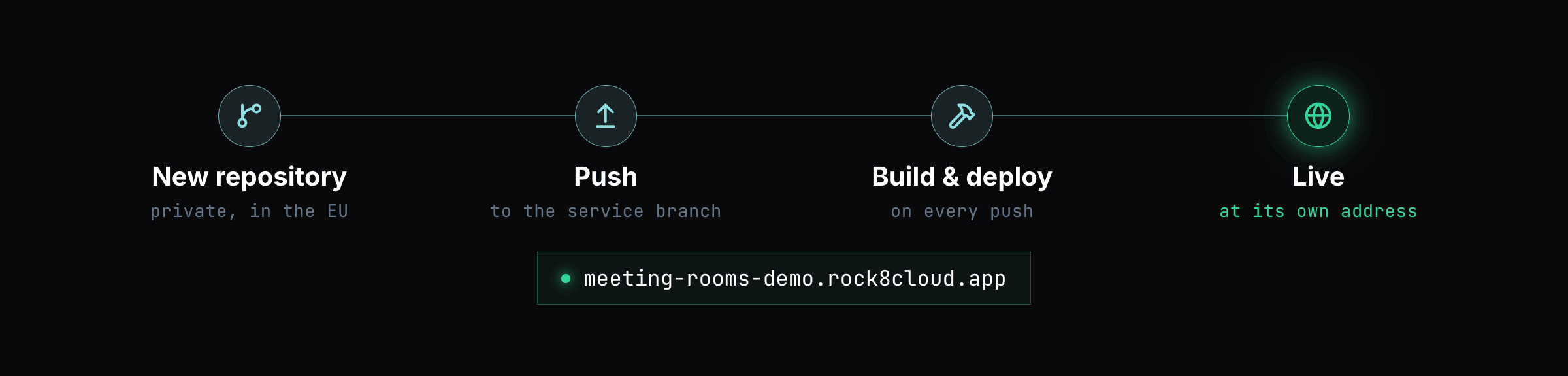
When you add a service, pick New repository. Rock8Cloud creates the repository, and every push to its branch deploys the app. There is nothing to install and no access to grant.
Blueprints work the same way. Deploy one without a GitHub account and Rock8Cloud copies the template into your own Rock8Cloud git repositories, then starts the first deploy when the code lands, usually within minutes.
To browse the code, open Hosted Git in the user menu and sign in with your Rock8Cloud account. Members and owners can push and open pull requests. Readers can read. The Hosted Git guide covers the details.
Then GitHub stopped being the only way in#
Once your code no longer needed GitHub, signing in did not either. So we introduced Continue with Google and Continue with email on the login page, next to GitHub. Pick the account you already use.
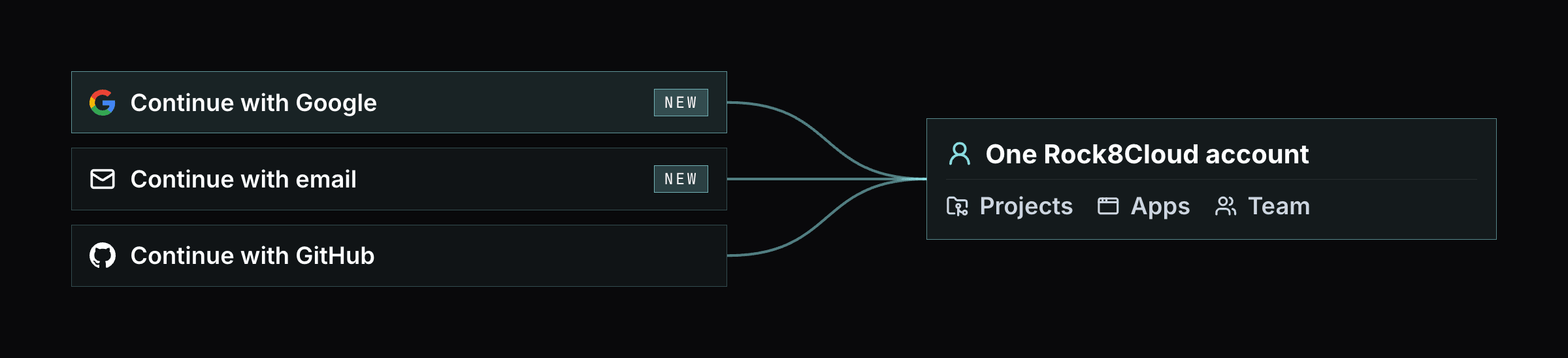
Sign in with Google using the same email as your existing account and you land in that account. Your projects, apps and team stay in one place, whichever button you press.
Everything you used with GitHub still works#
- Deploy on pushEvery push to the service branch builds and deploys, the same as a GitHub repository.
- Pull request previewsEach pull request gets its own preview environment, cleaned up when it closes.
- AI code reviewTurn on the AI Code Review workflow and every pull request gets a review.
- Coding agentsAgents push branches and open pull requests in your Rock8Cloud git repositories.
- BlueprintsEvery stack in the catalog deploys into Rock8Cloud git as well as into GitHub.
- Private by defaultRock8Cloud git repositories are private to your organization. Nobody else can see them.
Rock8Cloud git or GitHub?#
Both are fully supported, and you choose per service.
| Rock8Cloud git | GitHub | |
|---|---|---|
| Account | Your Rock8Cloud login | A GitHub account plus our GitHub App |
| Setup | None. Pick New repository | Install the app, choose repositories, get owner approval in a GitHub organization |
| Deploy on push and previews | Yes | Yes |
| AI code review and coding agents | Yes | Yes |
| Visibility | Private only | Private or public |
| Access | HTTPS with access tokens | HTTPS and SSH |
| Storage | 5 GiB per organization | GitHub’s own limits |
Pick Rock8Cloud git when you want to start right now and keep everything in one place. Pick GitHub when your team already works there, or when you need public repositories or SSH.
Agents can start from nothing#
Agents feel this change most. Connect Rock8Cloud to Claude, ChatGPT, Codex or Cursor and describe the app you want.
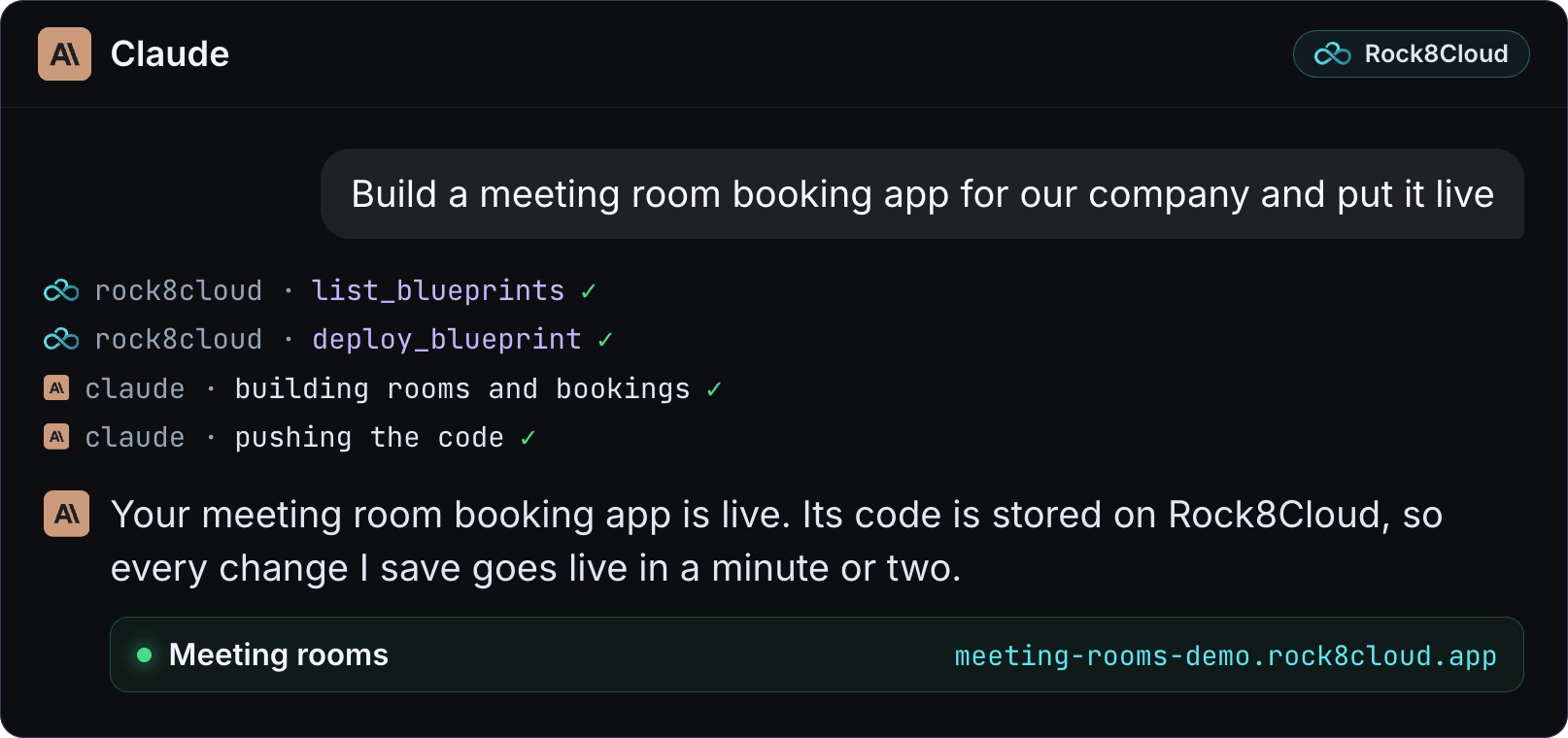
The agent picks a blueprint, creates the Rock8Cloud git repositories, deploys the app and pushes its changes there. You get a live URL. When you connect the agent, Rock8Cloud still offers to link GitHub, and Skip for now takes you straight on.
On your own hardware, too#
Git was also the one gap for Rock8Cloud on your own hardware. Rock8Cloud git runs inside the install, so your repositories now stay on your hardware with your builds, databases and logs. With models hosted inside your network, the whole platform runs offline, git included. The Enterprise page has the details.
Already on GitHub? Nothing changes#
GitHub sign-in stays. Services that deploy from GitHub keep deploying from GitHub. You can connect GitHub at any time, and one organization can run both kinds of services side by side.