
Decide who gets in.Know what you ship.
Choose who can reach each service, from your own team to your identity provider, and check every build for vulnerable packages before it goes live. One checklist shows where every service stands.
Built in Czechia, hosted in the EU · No credit card required
See which services need attention.
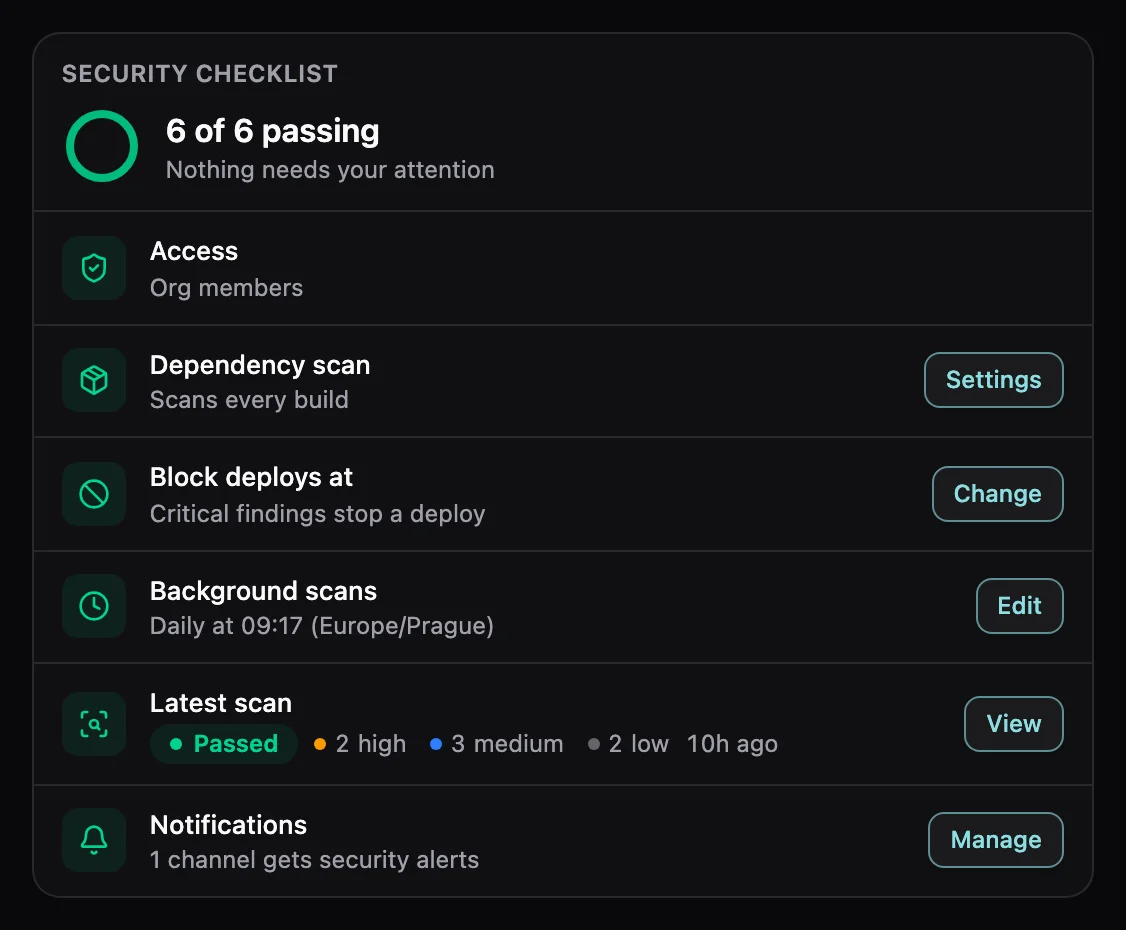
One checklist per service shows what is set up and links straight to what is missing.
Security in Rock8Cloud covers two areas.
Only the right people can open your app.
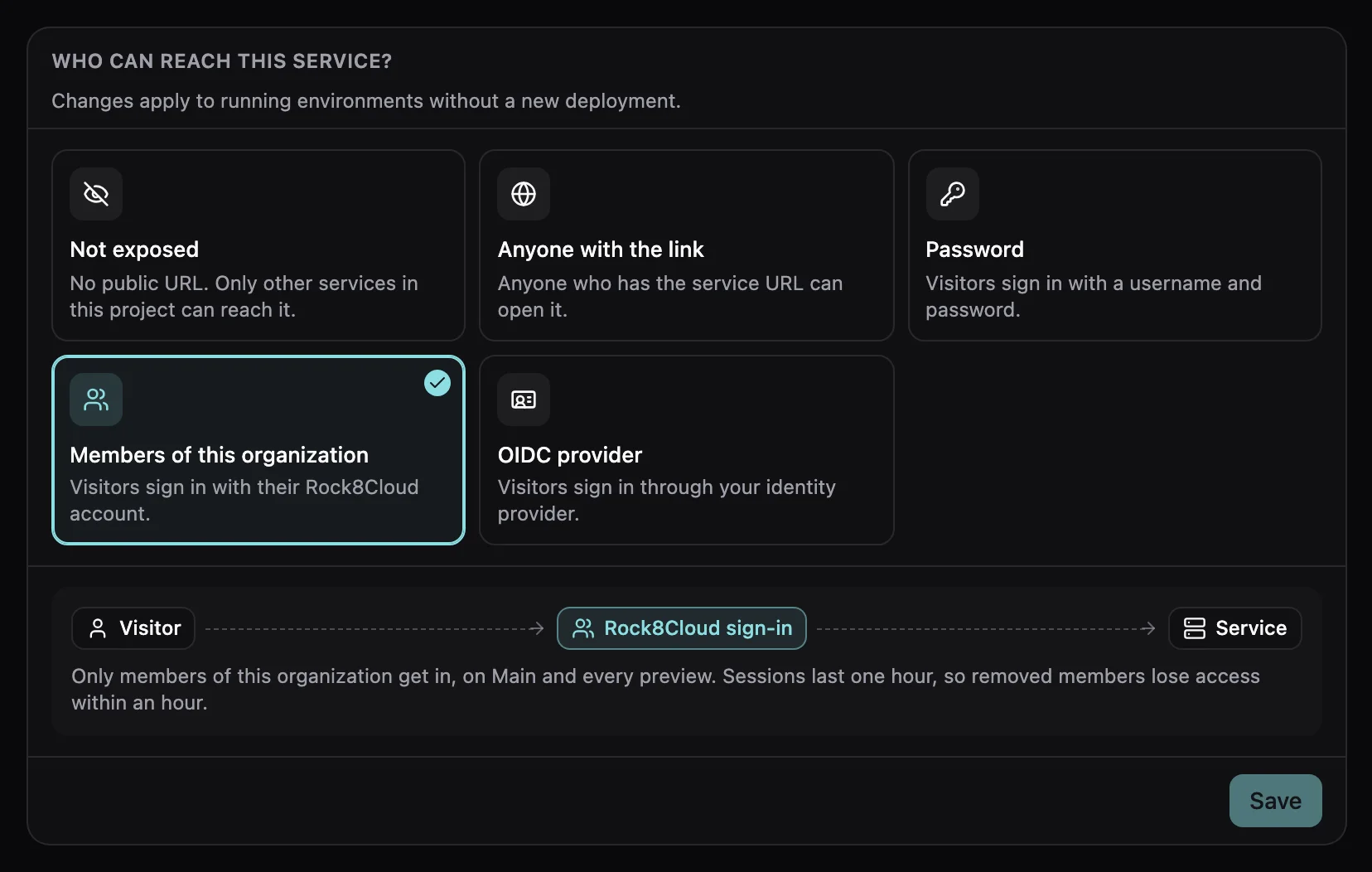
Pick who gets in. Previews follow the same rule, and nothing is redeployed.
Not exposed
No public URL. Only your other services reach it.
Anyone with the link
Public. No sign-in.
Members of this organization
Your team signs in with Rock8Cloud. Nobody else gets in.
Password
One username and password before the app loads.
OIDC provider
Sign in with Okta, Entra ID, Google Workspace or Keycloak.
Make your app visible only to your team.
The easiest way to keep an app private. Nobody shares a password and there is no identity provider to set up. Remove someone from your organization and they lose access within an hour. Included in every plan.
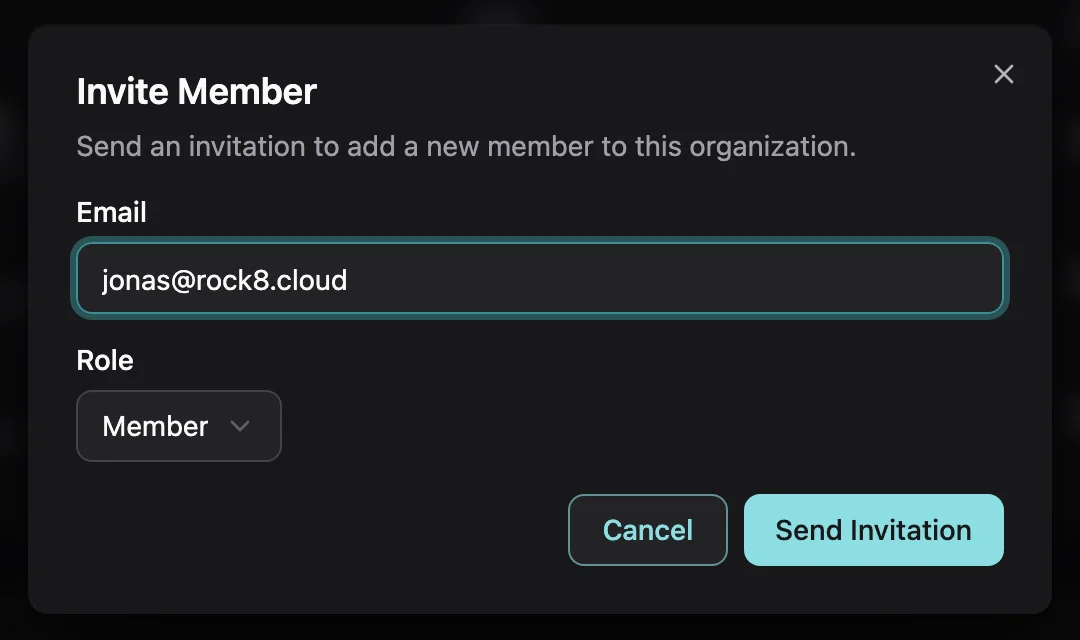
Invite your team
Add people to your Rock8Cloud organization by email.
Choose Members of this organization
One click on the Security tab. It covers every preview and custom domain.
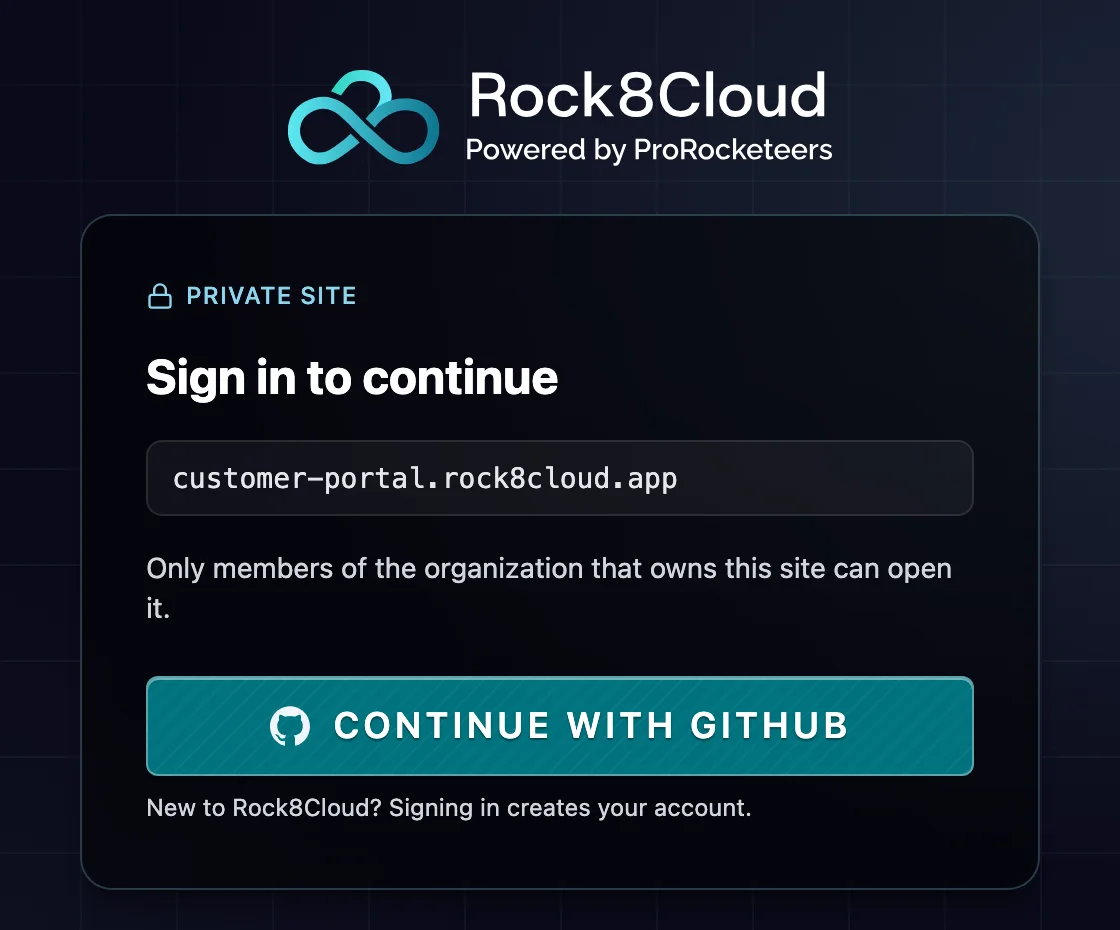
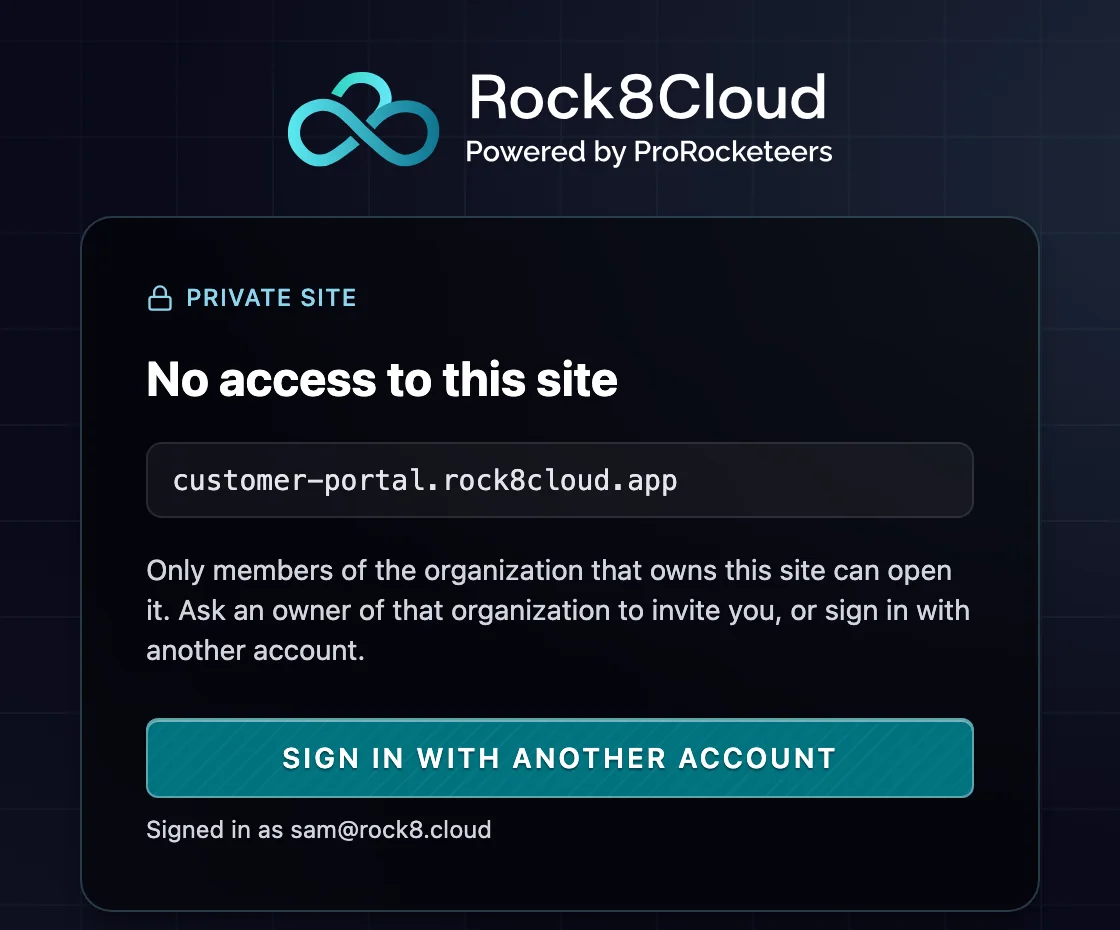
Only your team gets in
Members sign in with their Rock8Cloud account. Everyone else is turned away.
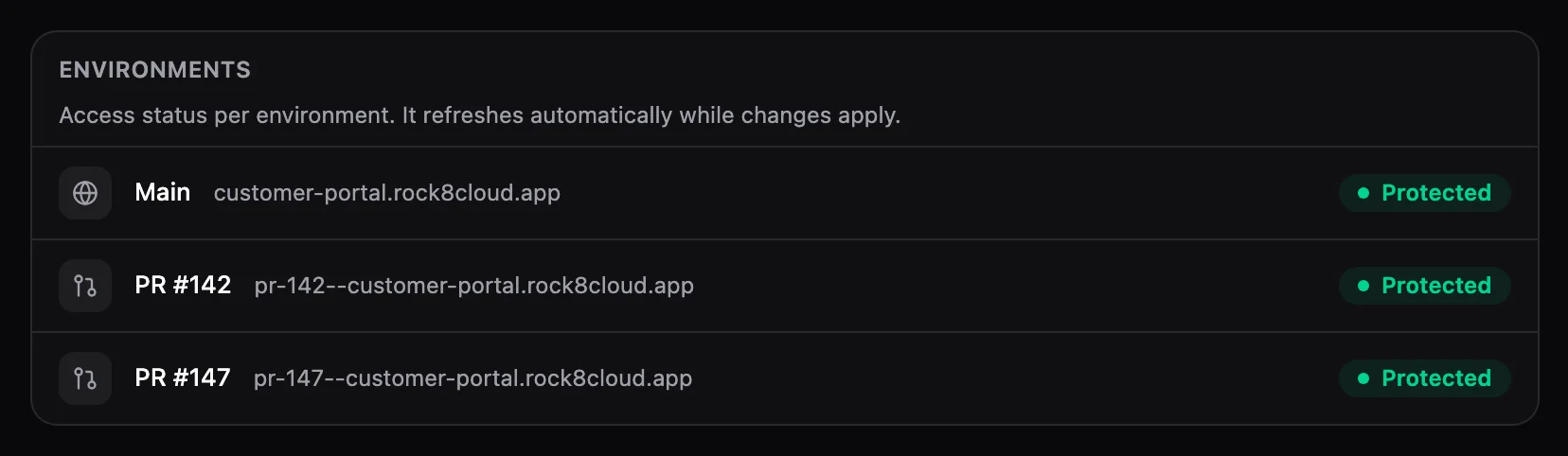
Your app is never left open by mistake.
See at a glance that every environment is protected. If protection ever fails, your app is taken off the internet instead of staying open to anyone.
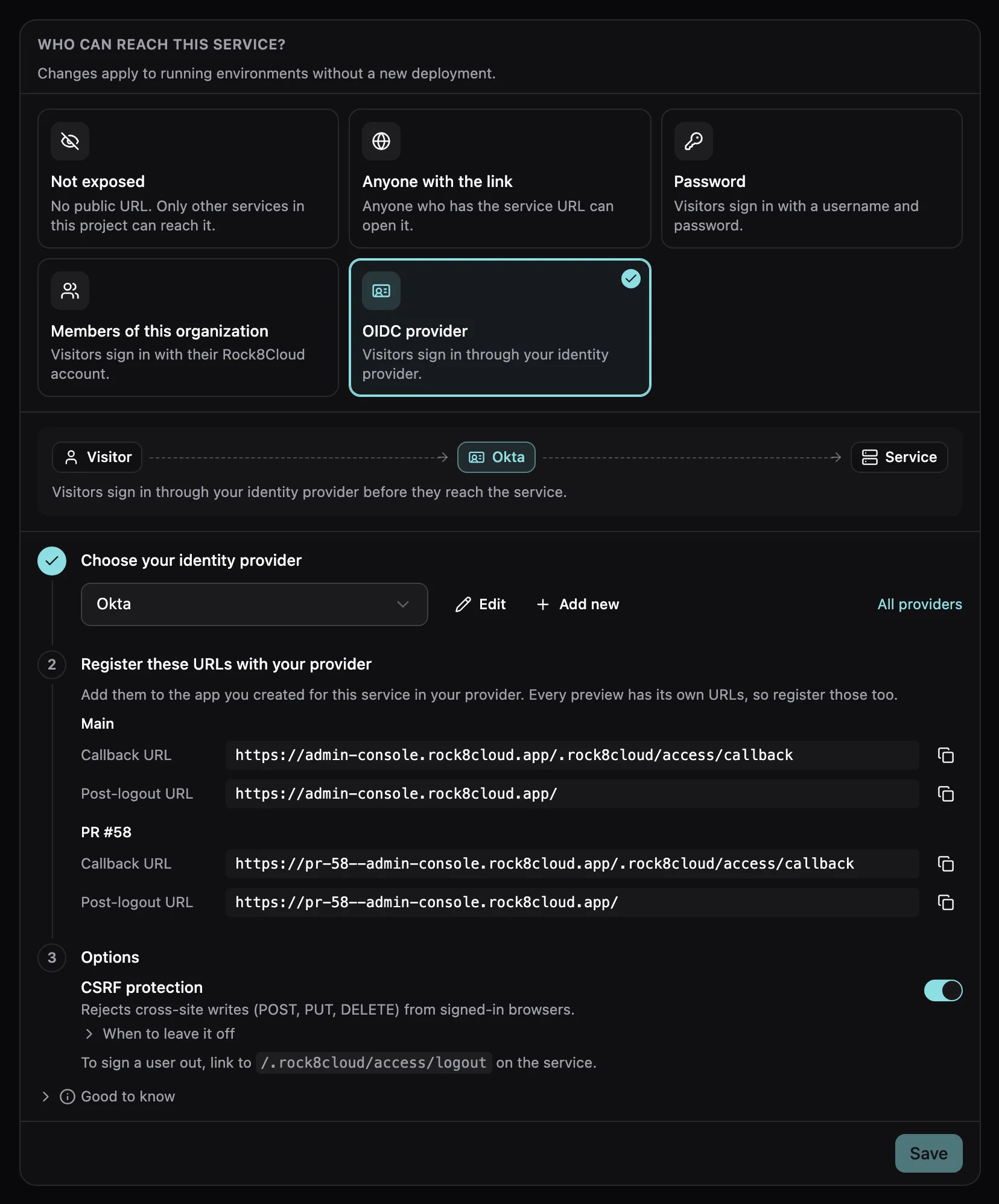
Use the login your company already has.
Connect your identity provider in three steps.
- 01
Choose your provider
Okta, Microsoft Entra ID, Google Workspace, Keycloak or any OIDC issuer.
- 02
Register the URLs
Copy the callback URLs we list for Main and each preview.
- 03
Save
Optionally block cross-site writes with CSRF protection.
Stop known vulnerabilities before they reach production.
New vulnerabilities (CVEs) in open-source packages are published every day. We check the packages your app uses and tell you which version fixes each one.
- 01Can block
On every build
Risky builds are stopped before they go live.
- 02Reports only
On a schedule
Catches new CVEs in the code that is already running.
- 03Reports only
On demand
Scan any time with one click.
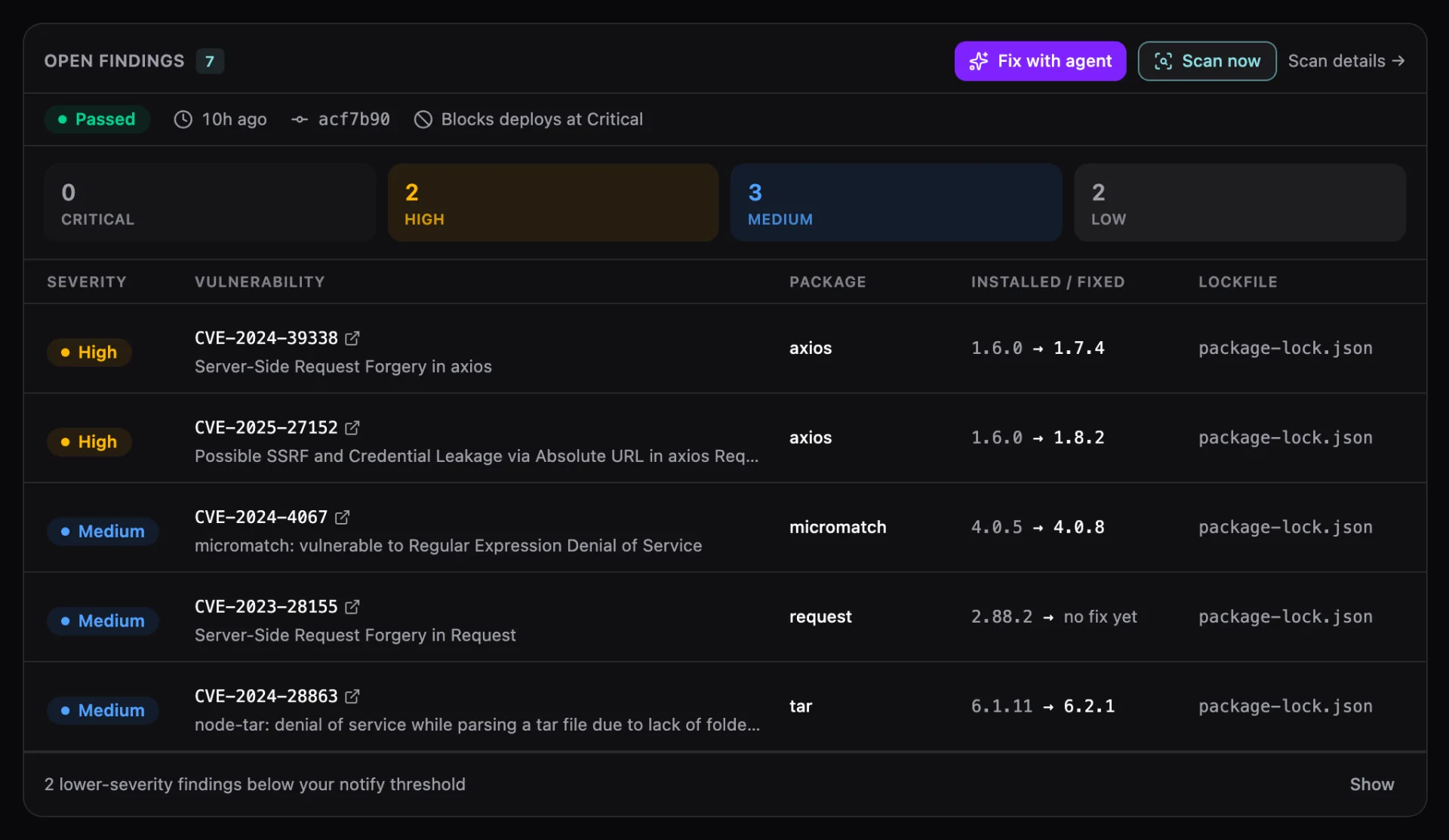
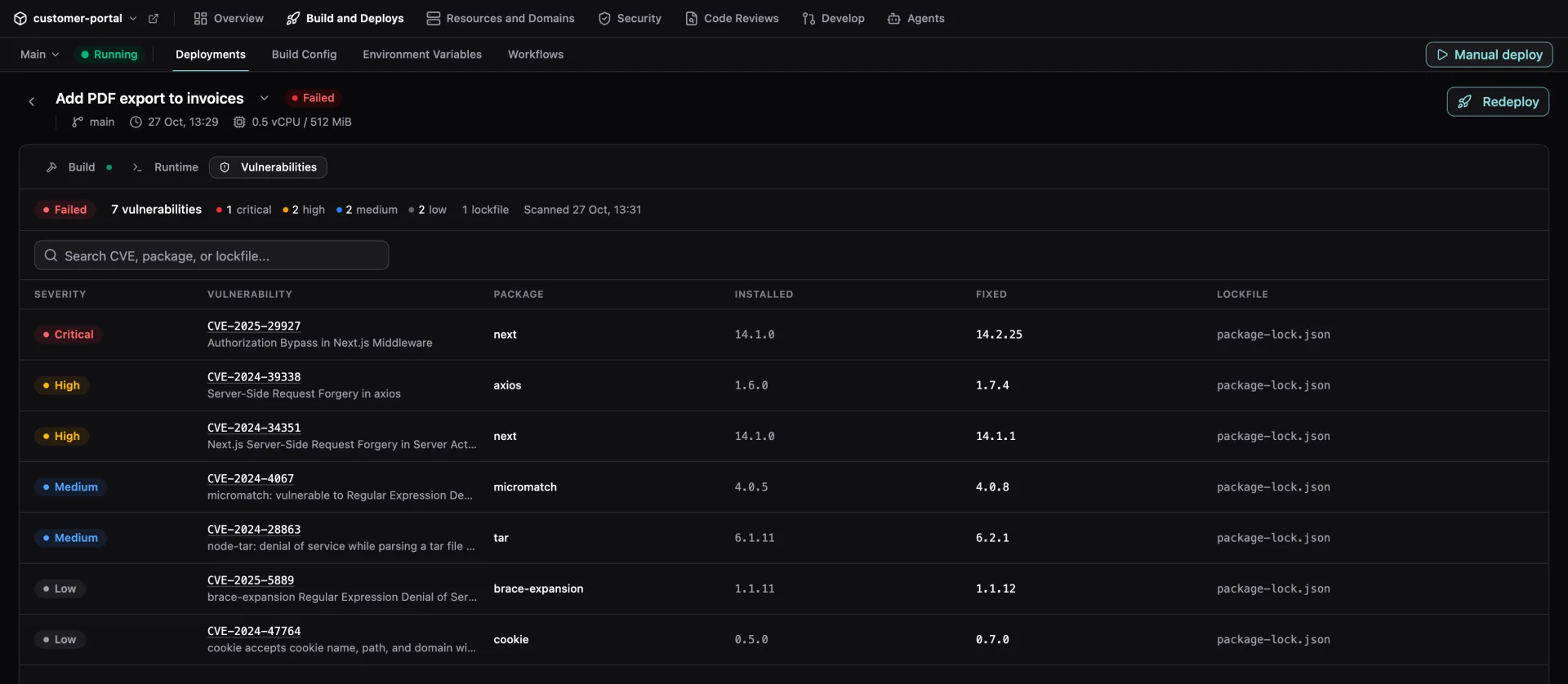
See exactly what blocked a deploy
Every finding, with the version that fixes it.
Know when a new vulnerability hits an app you already shipped.
Vulnerabilities are often found months after an app goes live. Background scans re-check the apps you already run and tell you when something new turns up, without touching the deploy.
- You shipBuild scan passes
- Daily scanAll clear
- Daily scanAll clear
- New CVE foundIn a package you run
- You get an alertSlack, Discord or webhook
- Fix with agentUpgrades in a pull request
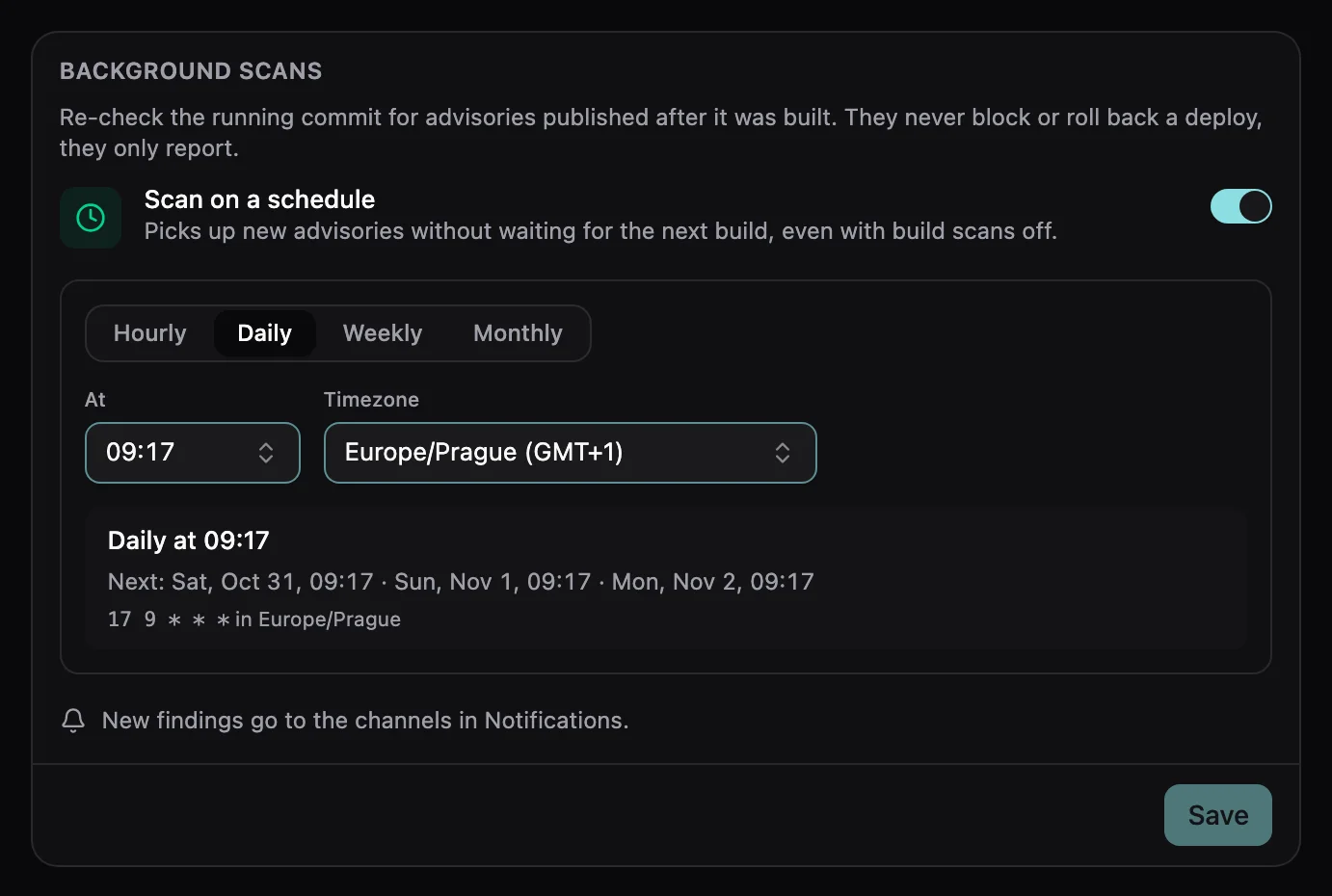
Your schedule
Hourly, daily, weekly or monthly, in your time zone.
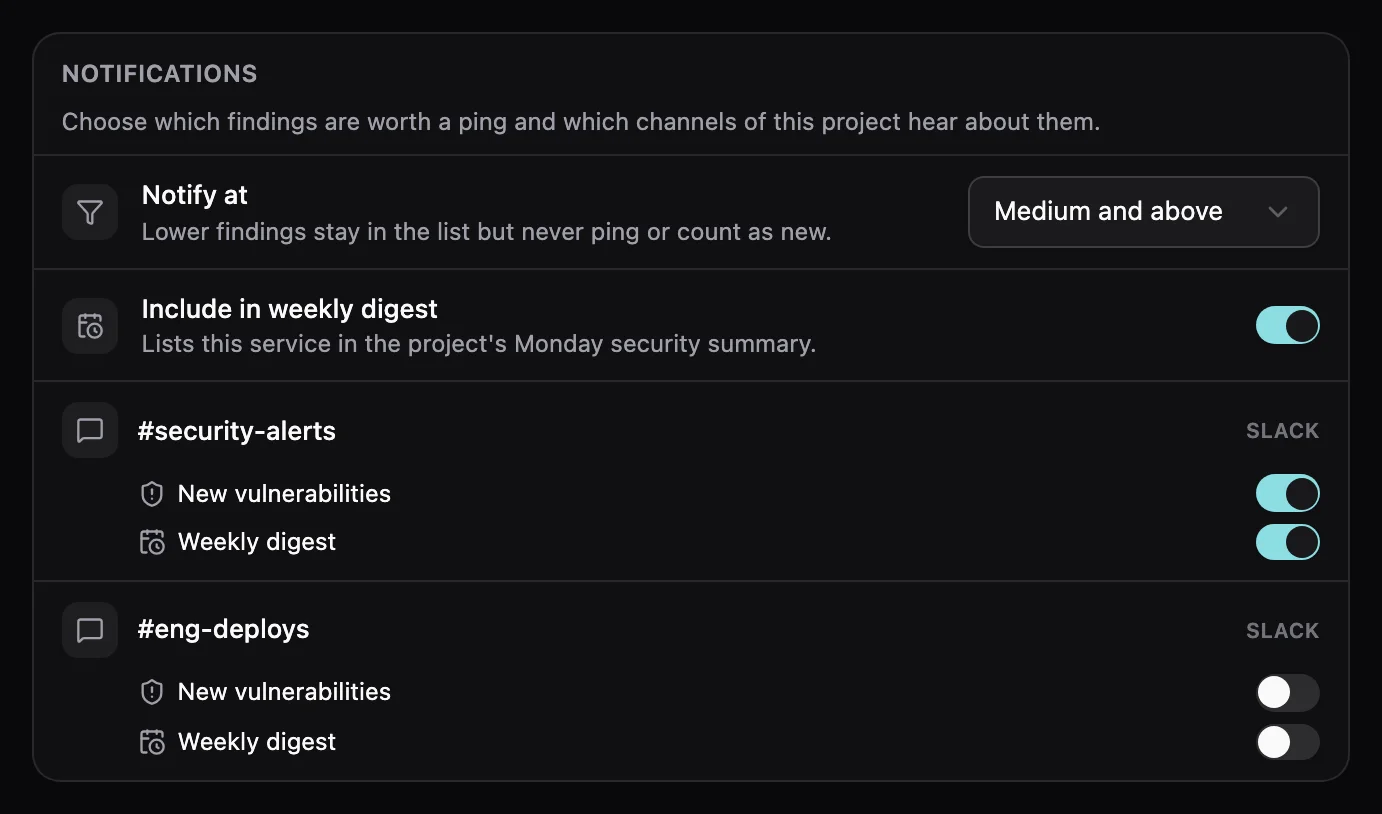
Only what matters
Get pinged on Slack, Discord or a webhook from the severity you choose.
A weekly digest
Every Monday, one summary of open findings per project.
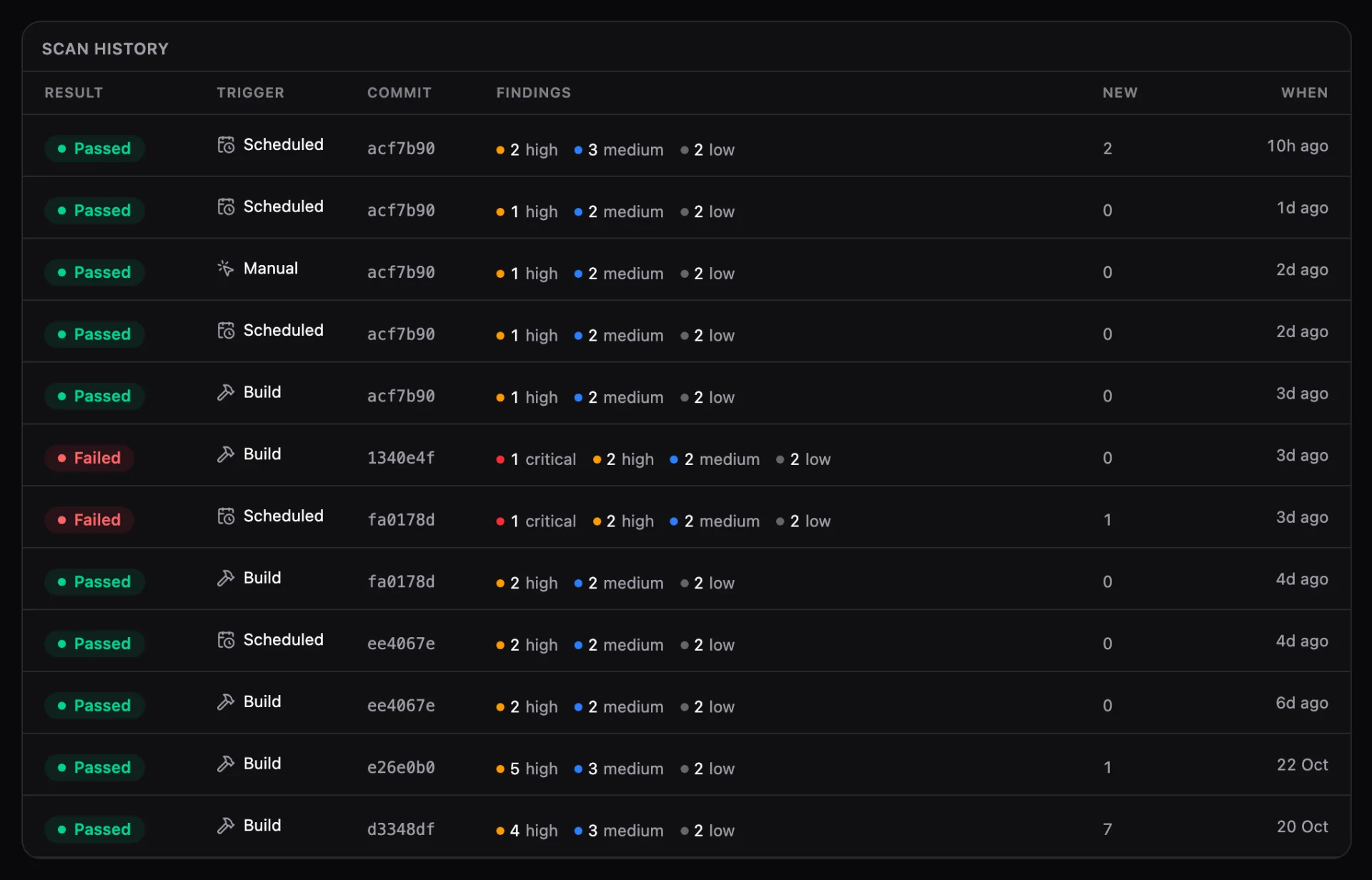
See every scan and what it found
Result, trigger, commit and new findings for each scan, kept for 90 days by default.
- Build
- Scheduled
- Manual
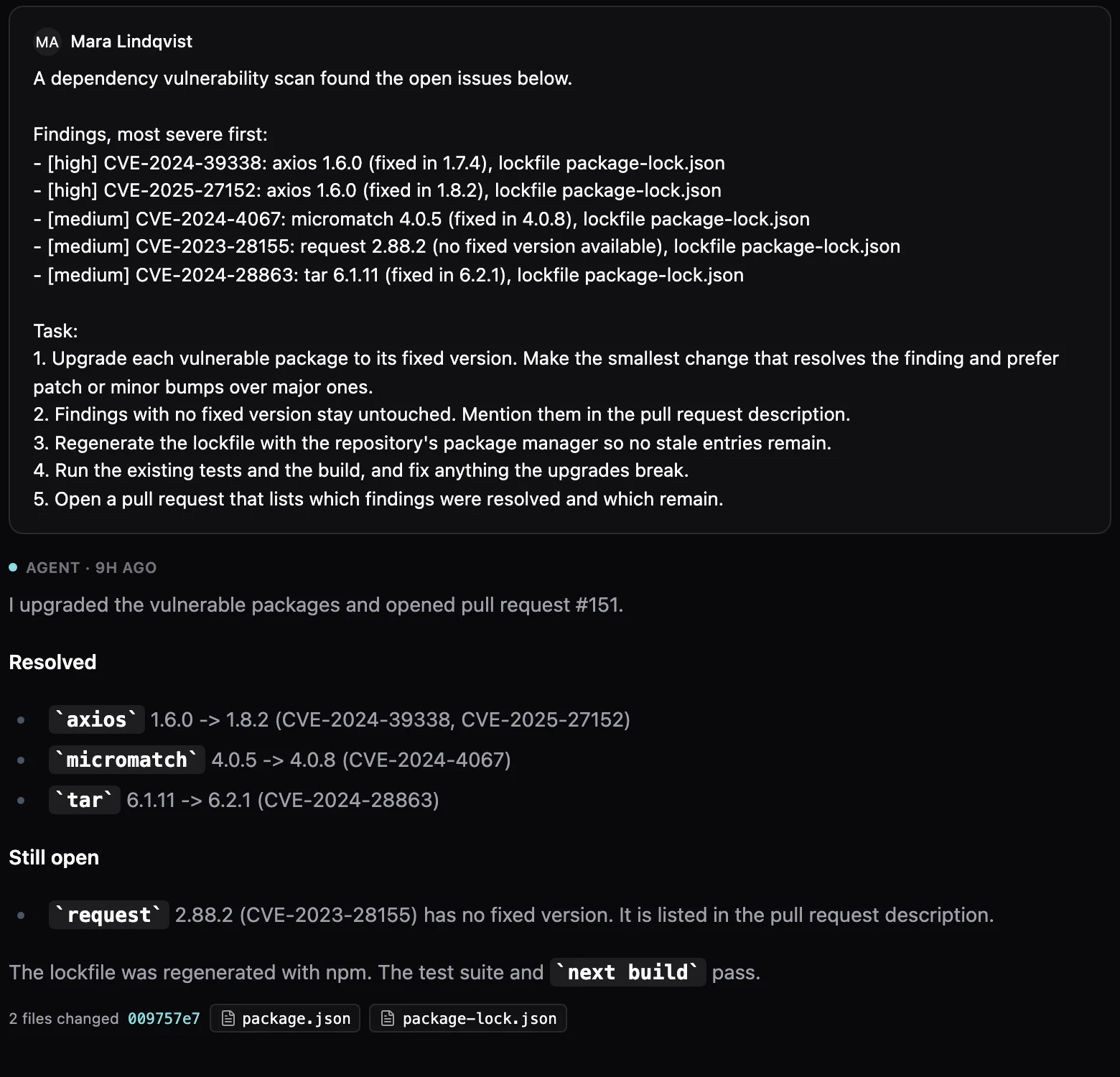
Let an agent fix it for you.
An agent upgrades the packages, runs your tests and opens a pull request.
- Upgrades each package to its fixed version
- Runs your tests and build
- Opens a pull request with what it fixed
Secure your apps from your AI chat.
Claude, ChatGPT, Cursor or any MCP client can lock services and run scans for you.
Lock a staging site
Puts a password in front of the service and hands you the login.
“Put docs-staging behind a password and give me the login”
Take a worker offline
Removes the public URL. Services in the same project still reach it.
“Take billing-worker off the internet”
Check before a release
Scans the commit that is running now and reports what it found.
“Scan customer-portal and list anything high or critical”
Fix what it found
Reads the findings and opens a pull request with the upgrades.
“Upgrade the vulnerable packages in customer-portal and open a PR”
Agent tools: set_service_access, scan_service, list_vulnerabilities
Previews included
One choice covers Main and every preview.
Never left open
If protection fails, your app goes offline instead of public.
Your threshold
Block deploys at Critical, at High and above, or only report.
Alerts where you work
New findings go to Slack, Discord or a webhook, plus a weekly digest.
Fix with agent
An agent upgrades the packages, runs your tests and opens a pull request.
A checklist per service
Six checks per service, each linking to the fix.
Questions beforeyou lock it down.
Plans, what gets scanned, and what changes when you save.
Dependency scanning, Members of this organization, Not exposed and Anyone with the link are on every plan. Password and OIDC protection need the Earth plan or higher. Fix with agent runs a regular agent session and is metered like one.
The JavaScript lockfiles in the build context: package-lock.json, pnpm-lock.yaml, yarn.lock and bun.lock. It reports findings of every severity with the fixed version where one exists. A repository without a supported lockfile is skipped, and nothing is blocked.
No. Saving never starts a build or a deployment. Running environments update in place, and the Environments panel shows each one move to Protected.
No. Access protection is a gate in front of the whole service, not a sign-in system for your app. If your app needs to know who the user is, give it its own sign-in.
Members of this organization and Password cover the service URL and every verified custom domain. OIDC protects the service URL of each environment and cannot be combined with custom domains.
No. Scheduled and manual scans only report. Only a build scan can stop a deploy, and only for findings at or above the threshold you set.
From idea to productionin one prompt.
- No repo yetMCP
Prototype this idea from a blueprint
Rock8Cloud forks a ready-made stack into your GitHub and deploys it.
- Have a prototypeMCP
Get my prototype live
Rock8Cloud builds it, wires the database and env vars, and puts it live.
30 days free. No credit card required to start.